
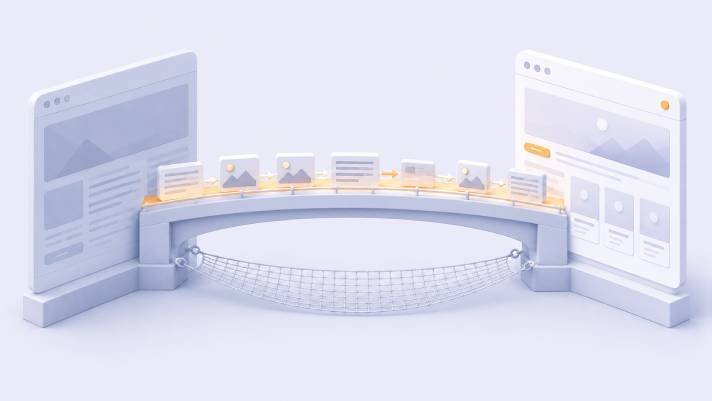
Most people know their theme is holding them back long before they do anything about it. What stops them is a specific fear, and it is a reasonable one: that switching will break the site, lose the content, and take the search traffic down with it.
That fear is justified — badly executed theme migrations do all three. But the failures are predictable, which means they are preventable. Almost every one traces back to a step skipped before launch rather than something that went wrong during it.
Here is the sequence.
Phase 1: Before you touch anything
Take a backup you have actually tested
Files and database, downloaded somewhere you control — not only on the same server the site runs on.
Then restore it to a staging environment and confirm it works. An untested backup is a hope, and the moment you discover a broken one is always the moment you needed it.
Inventory what the current theme owns
This is the step that determines how hard the rest will be. Work out which parts of your site belong to the theme rather than to your content:
- Shortcodes and custom blocks. Search your content for anything in square brackets or theme-specific block markup.
- Layout data. Page builder structures, section arrangements, homepage composition stored in theme settings rather than in pages.
- Custom content types. Portfolios, testimonials, team members, and similar, if the theme registered them rather than a plugin. When the theme goes, these can disappear from the admin entirely — the data usually survives in the database, but nothing displays it.
- Forms. If your contact form is a theme feature, it goes when the theme goes, along with any notification routing.
- Tracking codes. Analytics tags, ad platform pixels, verification codes pasted into a theme settings field. This is one of the most common silent losses in a migration.
- Menus, widgets, and sidebar content, plus anything hard-coded into footers.
Write it all down. Every item is either something to migrate, rebuild, or deliberately abandon.
Run the portability test
On a staging copy, switch to a plain default theme and look at your key pages.
What still renders is genuinely your content. What collapses into unrendered shortcodes or empty space is theme-dependent and needs a plan. Doing this on staging costs an hour. Discovering it on the live site costs your weekend.
Record your baseline
You cannot tell whether a migration hurt if you never wrote down where you started. Before anything changes, capture:
- Your top 20–30 pages by traffic and by revenue
- Current rankings for your most important terms
- Conversion rate on your key pages
- Core Web Vitals from Search Console field data
- A full list of your URLs, from your sitemap or a crawl
That URL list is the single most valuable artefact in this whole process. Save it.
Phase 2: Getting your content out
If the portability test was clean, skip ahead. If it was not, this is your work.
Deal with shortcodes systematically. Catalogue every distinct one, then decide per type: convert to standard formatting, replace with a plugin-based equivalent, or drop it. A careful find-and-replace across the database handles the bulk, but test it on staging and take a fresh backup first.
Prioritise ruthlessly. You almost certainly do not need to rebuild everything by hand. Use the traffic and revenue list: rebuild your top pages properly, and let the long tail be converted mechanically or handled later. A page with four visits a month does not deserve the same care as your best-converting service page.
Watch for pages that become thin. When theme-specific blocks vanish, a page that looked substantial can end up with three sentences. Thin content on a page that used to rank is a real risk, and it is easy to miss because the page still technically exists.
Phase 3: Build on staging, and match what mattered
Build the new theme on staging. Never on the live site, however small the change seems.
While rebuilding, the goal is not to reproduce the old design. It is to preserve the things search engines and visitors depended on:
- URLs, exactly. If they must change, that is a redirect project, planned deliberately.
- Title tags and meta descriptions. Some themes generate these; if yours did, confirm the new setup does not overwrite them.
- Heading hierarchy. A single H1 per page, and a sensible descending structure. Themes get this wrong often — a site name marked as H1 on every page, or section titles jumping from H2 to H4 for visual reasons.
- Structured data. Product schema with prices and availability, article schema, breadcrumbs, review markup, FAQ markup. This drives how your results appear in search, and it commonly lives in the theme.
- Canonical tags and pagination handling.
- Image alt text. Usually survives, occasionally does not if images are re-imported.
- Internal links. Sidebars, footers, and related-post modules carry more internal linking weight than people realise. If the new theme drops a related-posts section, you have quietly cut a large number of internal links.
Phase 4: The list that actually causes ranking drops
If you read only one section, read this one. In practice, migration ranking losses come from a short list of causes.
1. URLs changed without redirects. The most common and most damaging. Every old URL that no longer exists needs a permanent redirect to its closest equivalent — not all to the homepage, which search engines treat as a soft error and which is useless to visitors.
2. The staging site’s noindex tag went live. This one deserves its own warning. Staging sites are usually blocked from indexing, and when the site is pushed live, that block travels with it. The site looks perfect and slowly disappears from search over the following weeks. Check this on launch day, then check it again the next morning.
3. Structured data lost. Rich results — star ratings, prices, FAQ expansions — disappear from the search listing. Rankings may hold while click-through falls, which makes the cause hard to spot.
4. Heading structure flattened. Common when a new theme styles everything visually rather than semantically.
5. Internal linking reduced. Fewer contextual links means less internal signal to your important pages.
6. Page speed regression. A heavier theme can move you from passing to failing, and that is a signal working against you across the whole site.
7. Thin or lost content, from the shortcode collapse described above.
Phase 5: Launch day
A sequence, not a single click:
- Go live in a genuinely low-traffic window for your audience.
- Push redirects at the same moment as the theme, not afterwards.
- Confirm the site is indexable — check the robots directives and the robots file immediately.
- Test every form, and confirm notification emails actually arrive at an address on your own domain.
- Verify analytics and every advertising pixel is firing. Reinstall anything the old theme was holding.
- Walk your top 10 pages on a real phone.
- Check the unglamorous pages: 404, search results, empty cart, checkout.
- Submit your sitemap in Search Console and request indexing on your most important pages.
- Keep the old theme installed but inactive for a few weeks. It is your fastest rollback.
Phase 6: The first 30 days
Expect fluctuation. Some ranking movement after a migration is normal and usually settles.
Watch weekly rather than hourly: organic traffic against your baseline, Search Console crawl errors, 404 reports for URLs you missed, conversion rate on your key pages, and Core Web Vitals.
On that last one, be patient. Field data updates on a rolling 28-day window, so performance improvements will not appear immediately. Give it several weeks before concluding anything.
If traffic drops sharply and does not recover within two or three weeks, work through the Phase 4 list in order. It is nearly always on there.
When not to switch
Timing is part of the decision. Do not migrate during your peak trading season, in the middle of a paid campaign driving significant traffic, in the week before a launch, or while your only technical person is on holiday.
The right time is a quiet period, with enough runway afterwards to watch the data and fix what surfaces.
The reassuring part
Done in this order, a theme migration is a routine project rather than a gamble. The businesses that get hurt are almost always the ones that switched on a Friday afternoon, directly on the live site, without a backup or a URL list.
You now have the URL list. That is most of the battle.
At eThemeStudio, our themes store content in standard formats specifically so that leaving is possible — including leaving us. If you are planning a migration and want a second pair of eyes on the audit before you commit, send us your URL.

Comments (0)